What Is Vyond Turbo? Features, Use Cases & How It Works
By Fadzil Ashraf
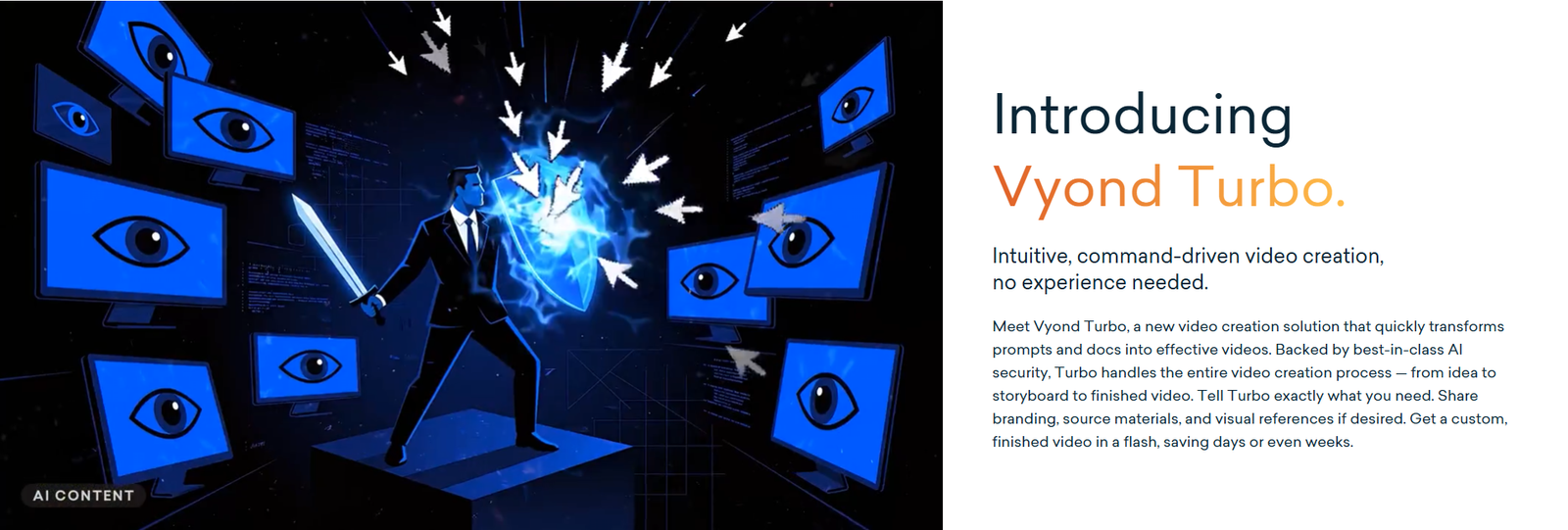
Vyond Turbo has just launched, and if you make training, onboarding or explainer videos, it is worth understanding what it is and how it differs from the Vyond tools you may already use. In this guide, we explain what Vyond Turbo is, how it works, how it compares with Vyond Go and Vyond Studio, and what it could mean for eLearning and L&D teams.
A quick note: we have not tested Turbo hands-on yet, so this guide is based on information Vyond has published.
What is Vyond Turbo?
Vyond Turbo is Vyond’s new agentic AI video creation platform. Instead of building a video scene by scene, you give Turbo an idea, and optionally your source materials, and it handles the production work: scripting, visual direction, scenes, voiceover, pacing and music. You stay in control by reviewing the plan and asking for changes in plain language.
Vyond introduced Turbo in beta in August 2026, added animated and realistic narrators and automatic background music in September, and held its official launch on 29 October 2026. The launch was aimed mainly at enterprise teams.
Vyond Turbo examples: https://www.youtube.com/playlist?list=PLKaQ0APJ4b28
How Vyond Turbo works
According to Vyond, creating a video with Turbo follows six steps:
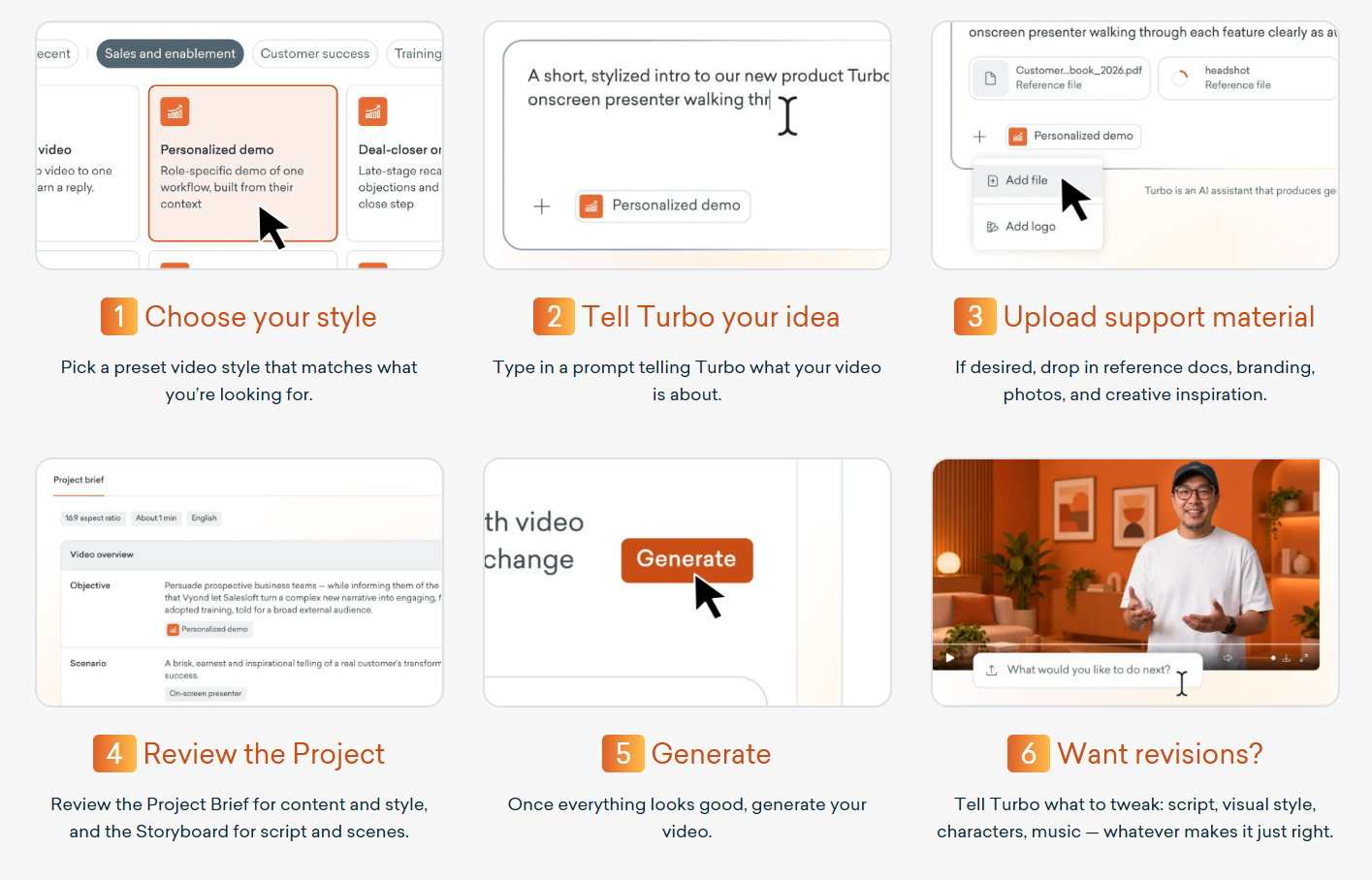
- Choose your style. Pick a preset visual style that suits the video.
- Tell Turbo your idea. Type a prompt describing what the video is about.
- Upload support material (optional). Add reference documents, branding, photos and visual inspiration.
- Review the project. Check the Project Brief for content and style, and the Storyboard for the script and scenes.
- Generate. Once you are happy with the plan, Turbo produces the video.
- Request revisions. Ask Turbo to change the script, visual style, characters, music and more.
Two things stand out. First, the review step comes before generation, so you can correct the direction early instead of fixing a finished video. Second, you can give Turbo your brand colours, logos and creative direction, and tell it how you want them used.
How Vyond Turbo Works: https://www.youtube.com/watch?v=b_QF43GZR-E
Vyond Turbo vs Vyond Go vs Vyond Studio
Vyond describes Turbo as complementing its existing tools, not replacing them. Here is how the three differ:
| Tool | How it works | Best for |
| Vyond Studio | Hands-on editing and production control | Creators who want to build and fine-tune every scene |
| Vyond Go | Generates videos quickly from a template library | Fast videos built on ready-made structures |
| Vyond Turbo | Conversational, prompt-driven creation, with AI handling production | Turning ideas and documents into finished videos quickly, with little video skill needed |
Who is Vyond Turbo for?
Vyond positions Turbo for several kinds of teams:
- Learning and Development: turning documents, presentations and expert knowledge into training videos.
- Sales and sales enablement: creating tailored, same-day explainers and follow-ups.
- HR and internal communications: sharing company news, process changes and recognition.
- Marketing: producing product explainers and social media clips.
What it means for eLearning and training teams
Many organisations have valuable knowledge locked inside policy documents, SOPs and slide decks. Turbo’s promise is to turn that material into video far faster than traditional production. For eLearning, that could help with the “explainer layer” of a course: short introductions, process walkthroughs and policy updates.
But speed is not the same as learning. A video generated from a policy document is still information delivery. Effective eLearning also needs clear learning objectives, practice, realistic scenarios and assessment, so learners actually do something differently afterwards.
As instructional designers, we see tools like Turbo as a way to speed up the first draft of video content, so that more time goes into the learning design itself.
What to check before you adopt Vyond Turbo
- Pricing and access. Vyond lists Turbo pricing as a custom quote through its sales team, and the launch focused on enterprise teams. Confirm what is available for your plan.
- Language support. If you create content in Bahasa Malaysia, as we do, ask Vyond whether Turbo supports Bahasa Malaysia narration and on-screen text before you plan a project around it. We could not find this confirmed.
- Accuracy and review. Test Turbo with your own source material, and have subject matter experts check AI-generated scripts, especially in regulated fields such as healthcare, banking and finance.
- Security and brand control. Vyond says Turbo is backed by strong AI security and supports your branding. Check that this meets your organisation’s requirements.
Final thoughts
Vyond Turbo is a notable step for AI video creation, especially for teams that need to turn existing documents and expertise into videos quickly. The real value for training, though, still comes from how the content is designed, not just how fast it is produced.
ThinkLab eLearning Solutions is a Malaysia-based eLearning development company creating courses in English and Bahasa Malaysia. If you want to turn your training content into effective eLearning, explore our portfolio or email us at thinklab.elearning@outlook.com.
Source: Vyond’s official Vyond Turbo page and product newsletters.